Set planning example · Reviewed 2 September 2026
How to plan a Scarlet & Violet 151 binder
151 works as a numbered set, a master set or a personal celebration of the original Pokédex. The right layout depends on which of those you are building.
Start with the scope
A numbered set follows the set’s collector numbers. A master-set plan may add reverse holos and related product promos. A Pokédex-style binder might instead keep Bulbasaur through Mew together, then place Trainer and Energy cards elsewhere.
Write down whether you include promos such as cards from the Scarlet & Violet Black Star Promo series. Those cards are related to products but do not belong to the main 151 set code.
Pick the viewing experience
Collector-number order makes checking a published list quick. Pokédex order makes evolution lines and the original 151 flow naturally, but Trainer cards and secret rares need their own section. Parallel printings can sit beside the standard card or form a second complete run.
Page through the virtual binder and watch where nine-card or twelve-card pages divide an evolution family. A one-pocket shift at the start can improve several later spreads.
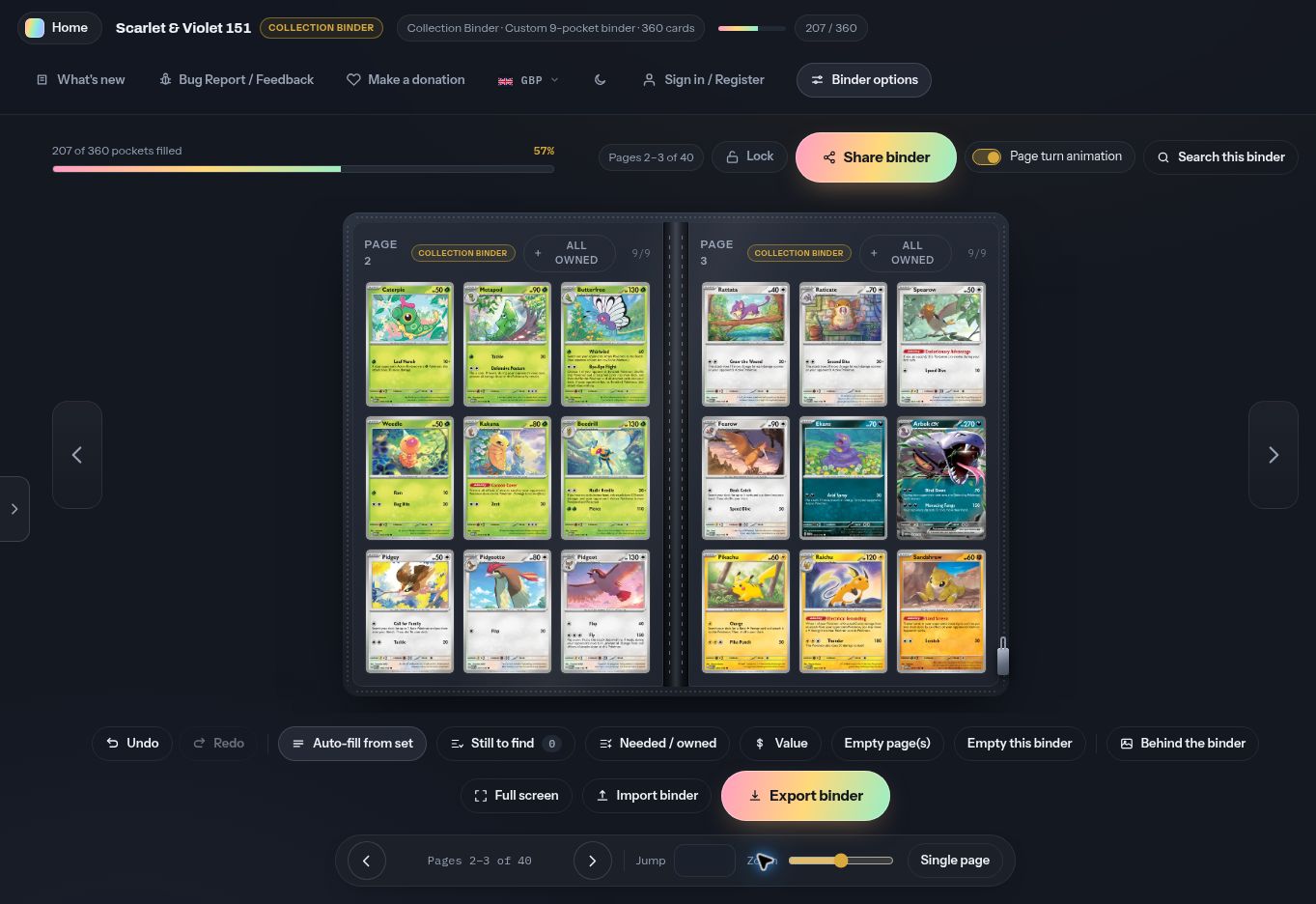
Search the related promos separately
Main-set and promo cards can be stored in different TCGdex sets. In the planner, select the English language, search the main set for its cards, then change the set filter or search a promo identifier such as SVP 053. The binder itself stays in place while the search catalogue changes.
Searching a bare set code displays that catalogue, while a card name can include related promos from the selected expansion where available.
Reserve spreads for artwork
151 is popular for decorative inserts and Extended Art. Select a rectangular group of empty pockets, merge it, then place an uploaded static image. Choose Fill or Fit, adjust zoom and drag the image before placement so the fixed binder dimensions do not change.
Only use artwork you are entitled to upload and share. Browser-only binders keep custom images on that device. Enabling free account backup includes compressed artwork in the protected binder copy, while creating a shared snapshot makes the visible compressed artwork available to anyone with that link.
Save the plan before moving cards
Export JSON after the card order and merged artwork areas are settled. A PDF gives you a visual page reference while physically filling the binder, and a spreadsheet can become a purchase or condition checklist. Search this binder can later locate any placed 151 card by name or number without manually checking every page.
Practical check: create any planned promo and artwork sections before you fill the final physical page. They are the additions most likely to change the page count.